Better Etsy Product Photos Without a Camera Setup
March 31, 2026 by Sarah Chen
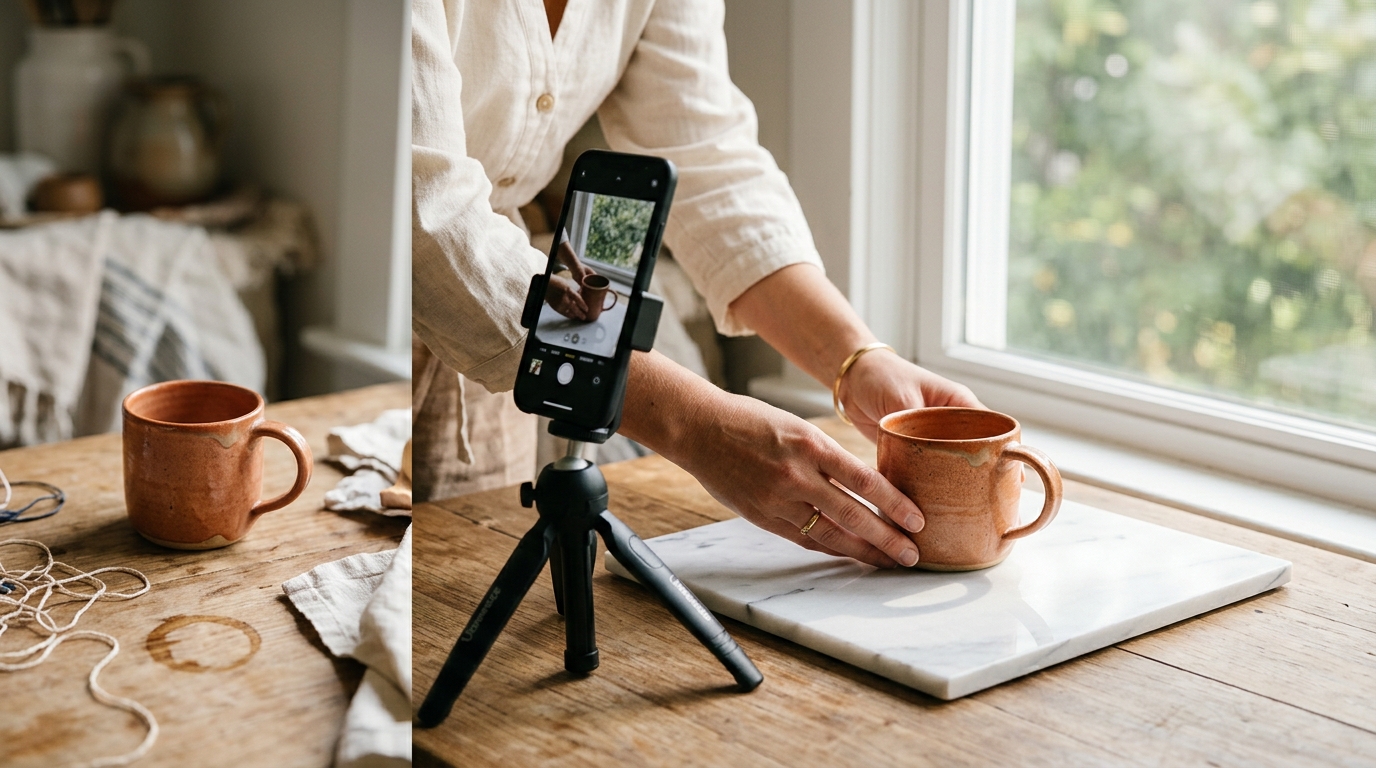
Etsy buyers can't touch your products. They can't smell them, try them on, or hold them up to the light. The only thing they have is your photos.
This is why product photography is the single highest-leverage thing most Etsy sellers can improve. Better photos convert more browsers into buyers. They also get you featured in Etsy search results more prominently, since Etsy's algorithm factors in listing click-through rate — which your thumbnail photo drives directly.
The problem is that most Etsy sellers are makers, not photographers. Setting up a studio is expensive. Hiring a product photographer for every new listing isn't practical. So what do you actually do?
What makes a good Etsy product photo
Before optimizing anything, get clear on what you're optimizing for.
A good Etsy product photo does two things: it stops the scroll (thumbnail appeal) and it closes the sale (detail and context). These two goals sometimes pull in different directions.
Thumbnail appeal comes from a strong, clear image with good contrast and color that reads well at 170x135 pixels. Your main listing photo needs to work at that size. Complex backgrounds, multiple products crowded together, and dark or muddy lighting all kill thumbnail performance.
Detail and context come from your secondary photos. Once someone clicks into your listing, they want to see the product up close, understand its scale, and visualize themselves using it. Multiple angles, scale references (hand holding the item, item in use), and detail shots of texture or craftsmanship all belong here.
Most sellers have weak thumbnails and then wonder why people aren't clicking. Fix the thumbnail first.
The natural light setup that actually works
You don't need artificial lighting if you know how to use natural light correctly.
The window approach: Find a window with indirect natural light — no direct sun hitting your products, which creates harsh shadows. North-facing windows are ideal but any window with a cloudy day works. Set up your surface (white foam board, wood, fabric — whatever fits your aesthetic) perpendicular to the window, not facing it directly.
This setup gives you soft, even lighting that flatters almost any product. Photograph everything in this spot at the same time of day for maximum consistency.
What kills this setup: Photographing in different rooms, at different times of day, with lamps mixed in. Pick your spot and use it every time. Consistency matters more than perfect lighting on any single shot.
Your phone is fine. Modern phones take excellent product photos. The difference between good and bad phone product photography is almost never the phone — it's the light and the setup.
The one Etsy photo change that improves click-through the most
Simplify your backgrounds.
The most effective Etsy thumbnails are usually the simplest. One product, clean background, clear focus. Not because minimalism is inherently better, but because it's easier for the eye to process quickly at thumbnail size.
Browse your category on Etsy and look at the top-performing listings' thumbnails. Then look at the bottom of search results. The thumbnails that read clearly and simply tend to perform better.
If your current photos have cluttered backgrounds, you have options:
- Reshoot — the cleanest solution, but time-intensive
- Background removal — apps like Remove.bg can strip backgrounds quickly, though results vary
- AI photo transformation — tools like BrandForge AI's product photography feature can take your existing photos and apply consistent professional backgrounds and lighting. This is useful when you have a large backlog of inconsistently photographed products
What your secondary photos should include
Your main photo stops the scroll. Your secondary photos make the sale. For most Etsy products, you want:
Scale reference. A hand holding the product, the product next to a common object, the product being worn or used. Buyers consistently underestimate or overestimate product size from photos alone. Solve this for them.
Detail shots. Texture, stitching, clasp mechanisms, glaze patterns — whatever makes your product special at close range. These details are often what sets handmade products apart from mass-produced alternatives, but only if buyers can actually see them.
Context shot. The product in its natural setting. Candle on a shelf. Jewelry being worn. Mug on a table. This helps buyers visualize the product in their own space or as a gift.
Packaging (if it's a feature). If your packaging is beautiful and you're targeting gifting buyers, show it. Many Etsy buyers are buying gifts, and packaging is part of the value proposition.
Seasonal photo updates
One thing many Etsy sellers overlook: updating your top-performing listing photos for seasonal periods.
Your evergreen jewelry listing can get a new lifestyle photo in November that shows it as a gift idea with some holiday context. Your home goods listing can get a cozy winter version and a bright spring version. Etsy's algorithm favors listings that have recent activity, and updated photos count as engagement.
You don't need to reshoot everything. Identify your five or ten highest-traffic listings and keep those photos current. AI product photography tools make this more practical — you can generate seasonal variations from existing photos without a new photoshoot.
The ROI of better photos
It's worth doing the math on this. If you have a listing getting 500 impressions a month at a 1.5% click-through rate (pretty typical for underperforming photos), you're getting 7-8 clicks. A listing at 3% click-through — achievable with a decent thumbnail — gets 15 clicks. At a 2% conversion rate, that's the difference between zero sales and one sale per month from one listing, from one change.
Multiply that across your shop and the compounding effect is significant.
Better photos aren't a nice-to-have. For an Etsy seller, they're the single most direct lever you have on sales.
Want professional-quality product photos without the setup? Try BrandForge AI's product photography tool free — upload your photo, choose your style, done in 30 seconds.